Extract icons from EXE, DLL, OCX and CPL files
IconsExtract allows you to extract icons from any file in your system – that is, any file that can be used as icon library.
The program can work with single files or complete folders, extracting all found icons in just a few seconds.
I especially liked the possibility to choose any of your current running processes and applications to extract their icons and also the options to filter results by color depth and icon size.
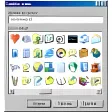
IconsExtract doesn't require installation and includes a very simple interface that is quite self-explanatory. It also displays advanced information about each icon and enables you save them as ICO files, either one by one or saving as many icons as you want simultaneously.
You can also copy any of them to the Clipboard for later usage in a third-party graphic tool. Unfortunately I could only save the smallest version of the icon (16x16 pixels), whereas if I used the copying tool I could use the larger size (48x48 pixels).
Added -scanpath command-line option, which allows you to start IconsExtract with another base folder or wildcard. (For exmaple: iconsext.exe -scanpath "c:\windows")
Changes
Added -scanpath command-line option, which allows you to start IconsExtract with another base folder or wildcard. (For exmaple: iconsext.exe -scanpath "c:\windows")






























User reviews about IconsExtract
Have you tried IconsExtract? Be the first to leave your opinion!